The Atlas team tutorial started as an architecture explanation: show how a request moves through the local and VPS agent roles, then make the result useful enough that somebody can understand it without reading the whole operating model.
The final output is a real custom render, not a generic demo:
- 80.704 seconds
- 1920×1080
- H.264 video with AAC audio
- verified public delivery through
minte.dev
The brief was about routing, not decoration
The story needed to explain a real team shape:
- the user-facing request
- local Cleo and the local work lane
- the VPS administration team
- atlas-bro as the user-facing Atlas-Lanes profile
- atlas-content as the content production lane
- atlas-builder as the build and project-production role
- the route that turns those roles into a finished public artifact
The first design decision was to make the routing legible before making it cinematic. A viewer should know who owns the next step before the transitions start showing off.
The pipeline
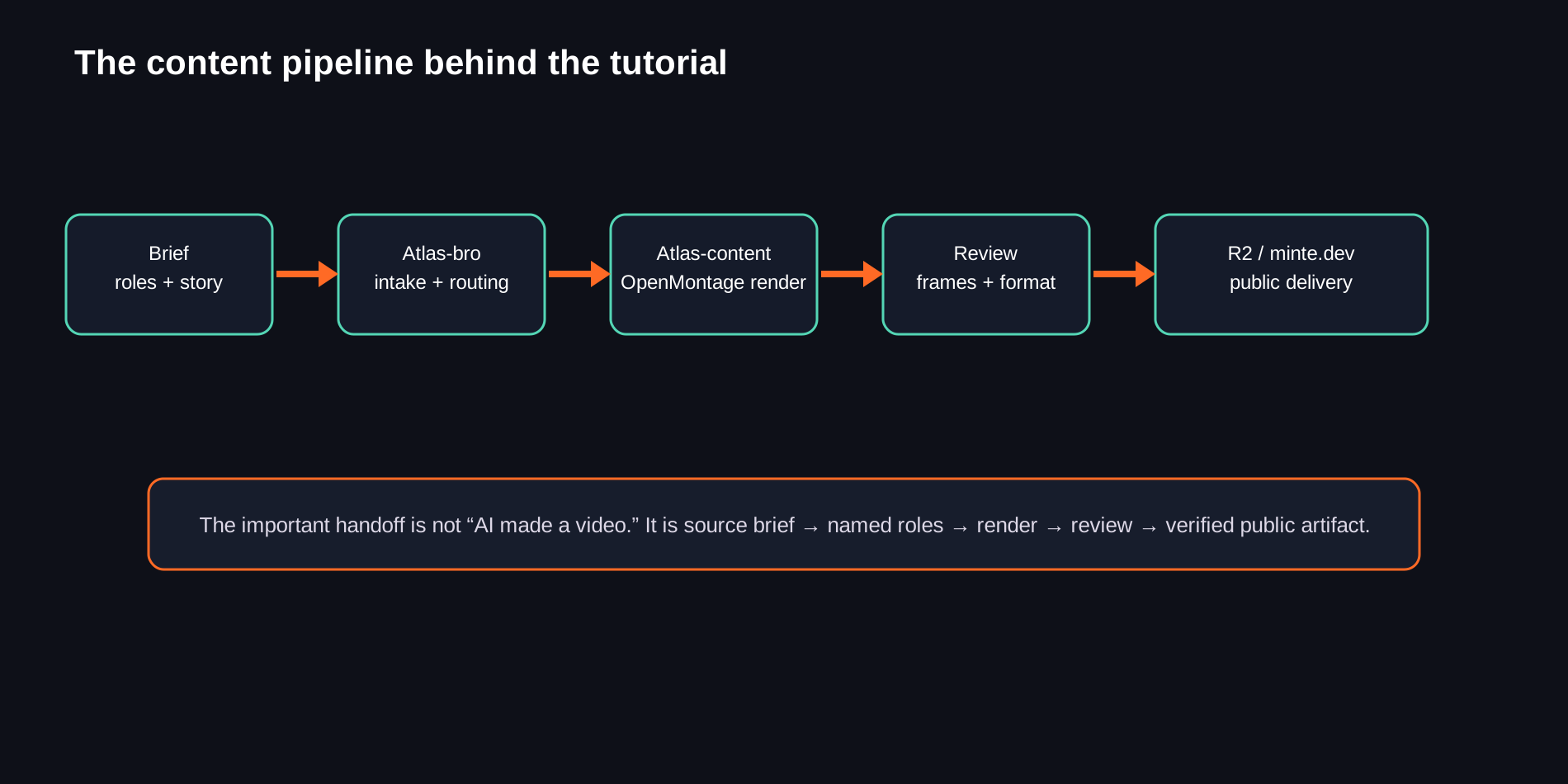
The content path is:
brief
  → named roles
  → Atlas intake and routing
  → OpenMontage render
  → frame and format review
  → R2 upload
  → verified minte.dev link
That distinction matters. The deliverable is not “an AI video.” The deliverable is a source brief, a known production lane, a reviewable render, and a public artifact that can be checked independently.
Why the scene order matters
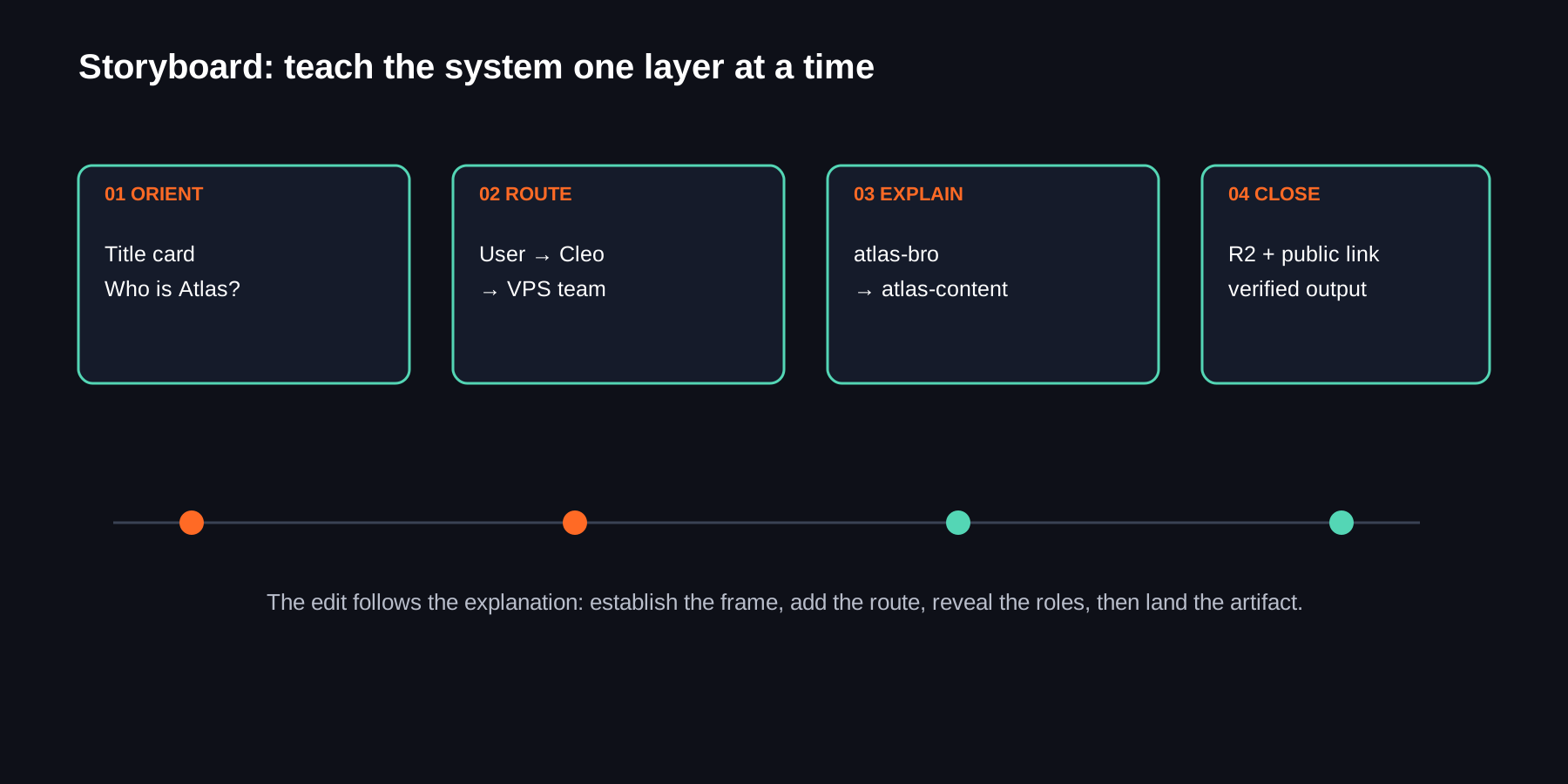
The tutorial teaches the system in layers:
- orient the viewer with the title card
- establish the user and local Cleo lane
- reveal the VPS team
- introduce atlas-bro, atlas-content, and atlas-builder
- connect the lanes through the routing illustration
- finish on the public delivery path
This is the same principle as a good technical diagram: do not put every node on screen at once and hope the audience reverse-engineers it.
The visual language
The supplied Minte.dev reference gives the piece its dark, orange, building-in-public foundation. Hermes branding anchors the agent layer. Atlas uses a cooler teal accent so the team-routing diagrams remain distinct from the Minte orange without fighting it.
The short Cloudflare screen recording supplied with the brief is a useful motion reference too. It is only a few seconds, but the lesson is clear: a dark field, one centered mark, restrained movement, and enough negative space for the logo to read. Branded motion works better when it does not try to animate everything at once.
OpenMontage as the production lane
OpenMontage lets the content lane keep the source assets, scene plan, render settings, and review evidence together instead of treating the final MP4 as an unexplained export.
The useful production questions were:
- Which asset is the source of truth for each role?
- Does the frame read at the intended resolution?
- Does the scene explain the route before the next transition begins?
- Is the output encoded in a browser-friendly format?
- Is the public URL actually serving the expected bytes and MIME type?
Those checks are as important as the visual polish.
The public delivery check
The finished artifact is stored at the public R2-backed route:
https://pub-1df7598299654a9ba2b75d973d85d70c.r2.dev/openmontage/renders/minte-dev-os/architecture-pilot-final.mp4
A live HTTP check returned:
200 OKvideo/mp431,175,784bytes
That is the difference between “the render exists somewhere” and “the audience can actually open the artifact.”
What I would keep for future tutorials
The reusable pattern is straightforward:
- start from the operating model, not a visual gimmick
- name the roles before animating the route
- use one clear idea per scene
- keep brand marks faithful and legible
- review at the final delivery resolution
- publish through the verified R2 route
- include the artifact link at the end of the write-up
That turns a tutorial into part of the operating system: the video explains the system, the source assets preserve how it was made, and the public link gives somebody a concrete result to inspect.