The point of this workflow is not "look, video editing on a phone." That part is just the flex.
The real thing I want to show is this:
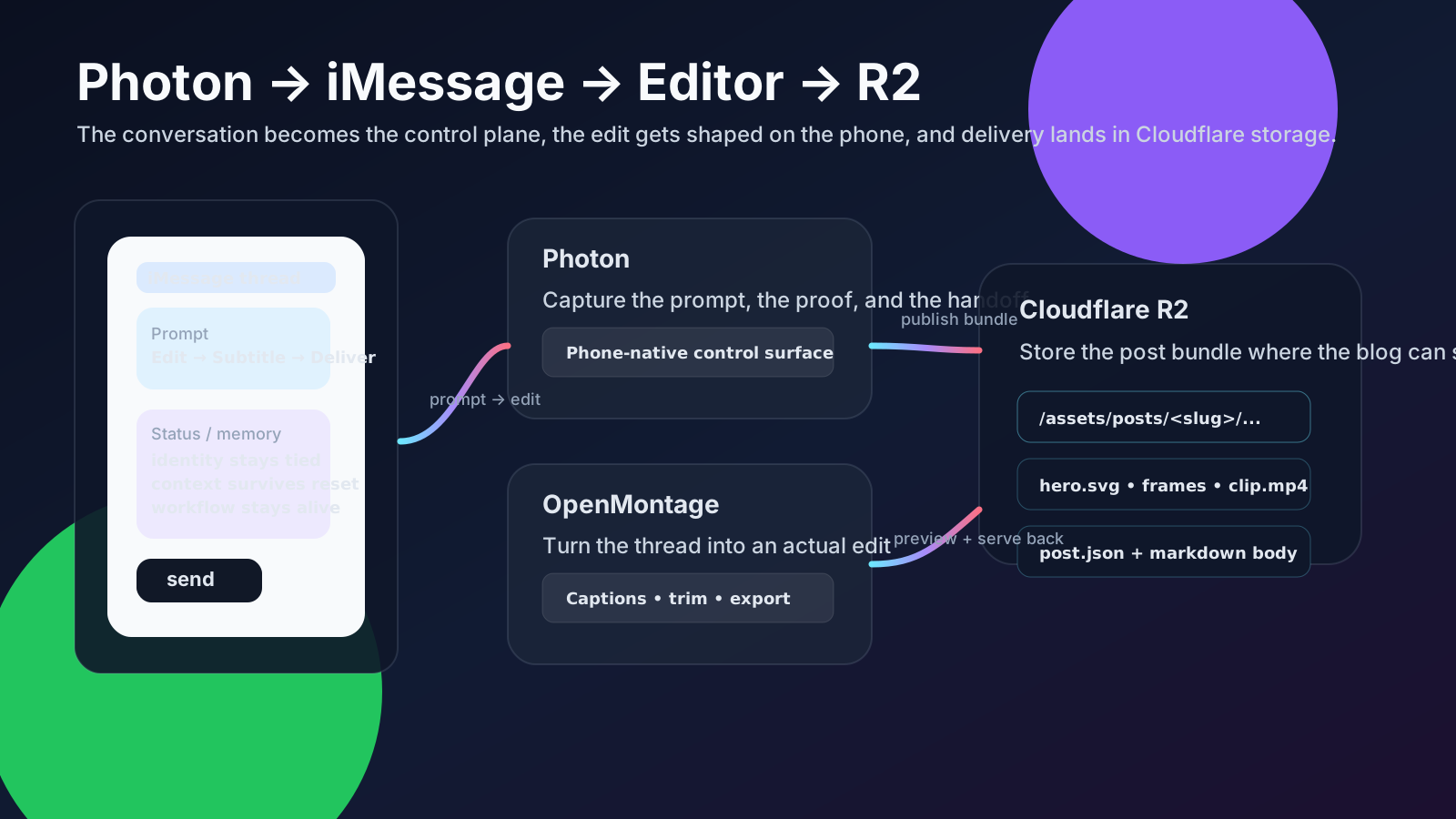
- Photon gives you a clean way to talk to your Hermes agent from the phone.
- Hermes handles the actual thinking, structuring, and follow-through.
- OpenMontage / the editor side proves the agent can do real work, not just chat.
- R2 becomes the handoff layer when I’m remote, editing from another machine, and still need to open the file from Photon without doing a stupid file-transfer dance.
So yeah, this is partly a video-edit demo. But mostly it’s a proof-of-capability demo for a phone-first agent workflow.
What the screen recording is actually showing
The screen recording is not trying to be a cinematic masterpiece. It’s showing a loop:
- I send a request from Photon.
- Hermes picks up the job.
- The editor gets used for a real cut, not a fake “AI generated” placeholder.
- The result gets written somewhere stable.
- I can open it again from Photon, even if I’m not sitting on the same machine.
That’s the whole point.
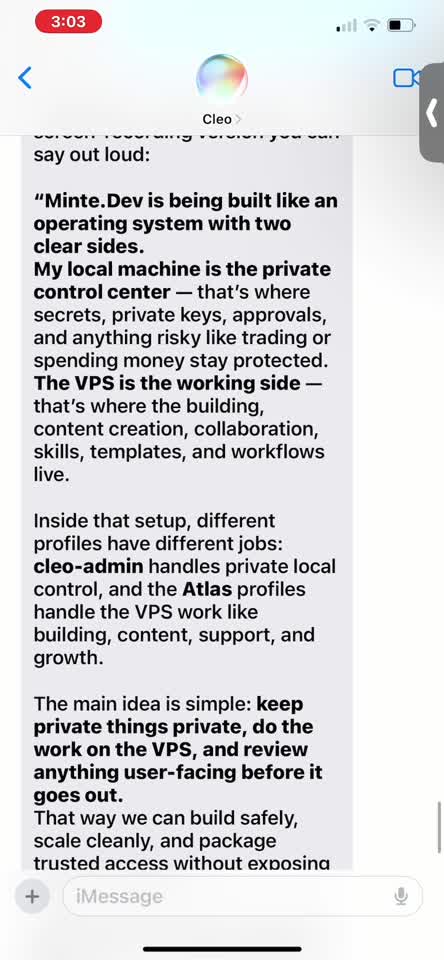
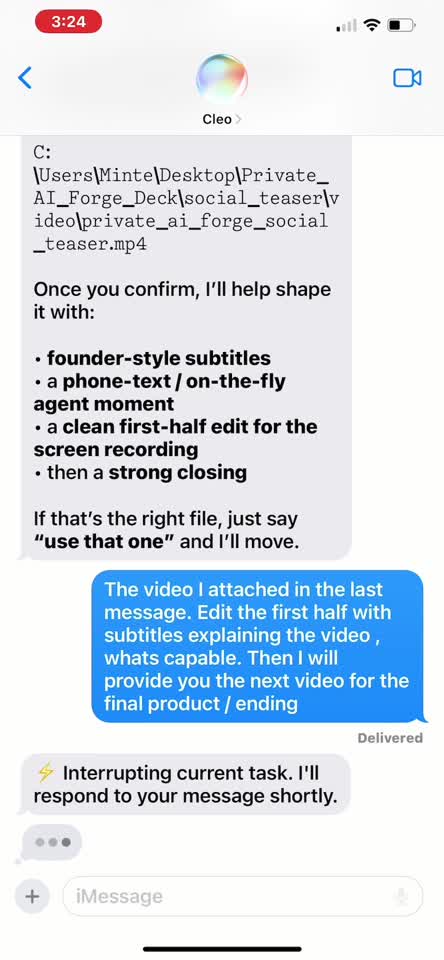
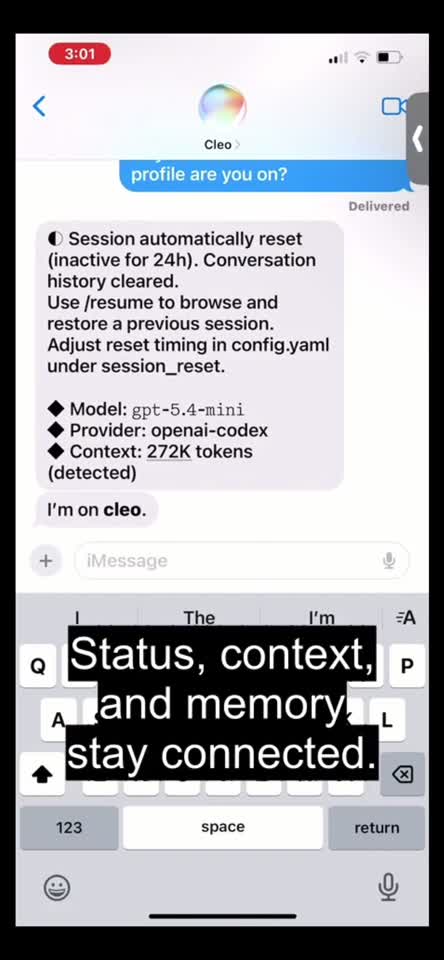
The early frames show the split between local control and the remote workflow. The middle frames show the editor pass. The later frames show the state staying tied together after the session resets.
If the thread survives the hop, the workflow survives the hop.
The basic shape
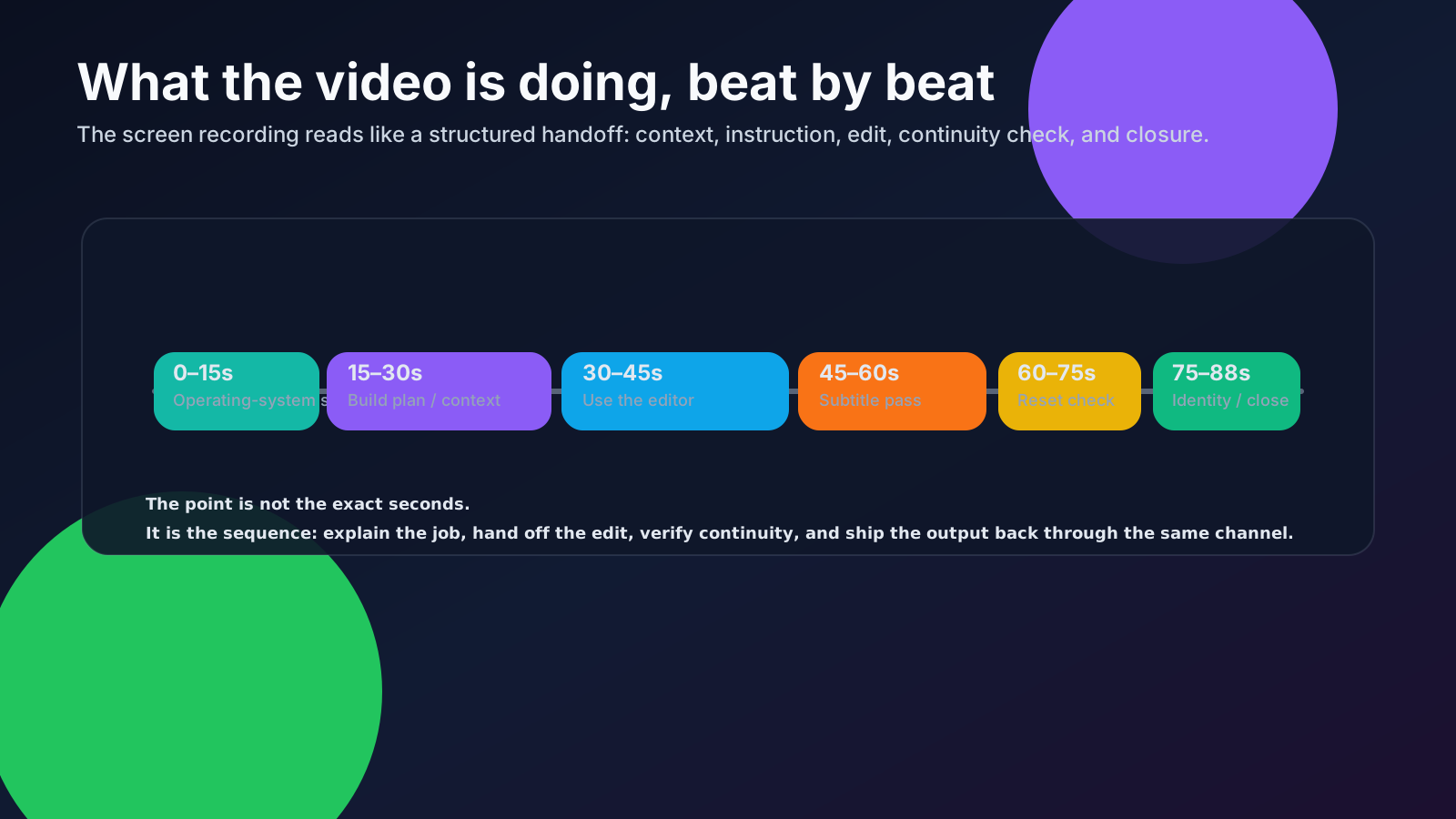
The flow is simple:
- Photon is the front door.
- iMessage is the conversation layer.
- Hermes is the agent doing the work.
- OpenMontage / editor tooling turns the request into an actual media result.
- Cloudflare R2 stores the assets so the file can be viewed cleanly from Photon again.
That last piece matters more than it sounds like. If I’m editing remotely from another machine, I do not want to depend on “where did that file end up?” I want one stable place to put the output, then one clean place to open it from.
That is what R2 is doing here: delivery.
What I mean by “Photon talks to Hermes”
This is the useful part.
Photon is not just a chat shell. It’s the place where I can kick off a real agent flow and keep the loop close to my hands.
A rough version looks like this:
Photon: Hey Hermes, take the latest edit, tighten the intro, and make sure the subtitles stay readable.
Hermes: Got it. I’ll work the cut, export a preview, and drop it in R2.
Photon: Cool — I’ll open the file from there when you’re done.
And if I want to be more explicit, I can send something structured like this:
Task:
- Use the latest source clip.
- Trim dead air at the top.
- Keep the captions smaller so the UI stays visible.
- Export a preview.
- Upload the result to R2.
- Reply with the final asset path.

Reason:
I need to review this from Photon on my phone while the edit happens remotely.
That kind of request is the whole value prop. The phone is not just where I read the result. It’s where I start the work.
Example: the edit request itself
Here’s the sort of message I’d actually send when I want the agent to do the edit pass:
@hermes
Take the current screen recording and make it easier to follow.

- Keep the workflow explanation casual.
- Make the captions smaller so the UI stays readable.
- Keep the full story intact: Photon → Hermes → editor → R2.
- Save the export as a preview clip.
- Put it in R2 so I can open it from Photon.
That’s the bar: not just generating a summary, but driving a real production loop.
Example: uploading to R2 for remote review
This is the delivery move. When I’m on another machine, or when I want the result to be visible from Photon, I put the file in R2.
wrangler r2 object put blog-posts-prod/assets/posts/2026-07-06-photon-imessage-r2-editing-workflow/imessage-edit-loop.mp4 \
  --file ./imessage-edit-loop.mp4 \
  --remote \
  --content-type video/mp4
Then the file can be referenced from the blog path:
https://blog.minte.dev/assets/posts/2026-07-06-photon-imessage-r2-editing-workflow/imessage-edit-loop.mp4
Or, if I want to keep it tied to the post bundle, I use the same asset prefix everywhere:
/assets/posts/2026-07-06-photon-imessage-r2-editing-workflow/...
That consistency is the trick. It keeps the blog, the draft, and the review loop pointing at the same thing.
Example: a tiny manifest for the post bundle
This is roughly how I think about the bundle:
{
  "slug": "2026-07-06-photon-imessage-r2-editing-workflow",
  "title": "Photon to iMessage: using the phone as the control plane",
  "draft": false,
  "assets": [
    "hero-diagram.svg",
    "workflow-timeline.svg",
    "bundle-map.svg",
    "frame-15.jpg",
    "frame-45.jpg",
    "frame-85.jpg",
    "imessage-edit-loop.mp4"
  ]
}
Nothing fancy. Just enough structure so I can keep the post and the media glued together.
What the video-editing part is proving
The edit is not the headline. It is the proof that the workflow can survive a real task.
If the agent can:
- accept a request from Photon,
- keep context across the thread,
- use the editor to make a real change,
- and deliver the output back through R2,
then the system is doing more than “chatting with a model.” It’s operating like a remote workbench.
That matters because the workflow is what I care about, not just the output file.
Why R2 is the right delivery layer here
R2 is useful because it solves a very practical problem:
I’m remote, I’m moving between machines, and I still need a stable place to open the asset from Photon.
That means:
- no weird one-off file handoffs,
- no guessing where the latest export lives,
- no “did I open the right version?” nonsense,
- and no breaking the review loop just because I switched devices.
R2 gives me a fixed destination. Photon gives me the fixed entry point. Hermes handles the work in the middle.
That’s a nice setup.
A more concrete loop
If I strip the whole thing down, it looks like this:
1. Send request in Photon
2. Hermes runs the task
3. Editor produces preview
4. Upload preview to R2
5. Open preview from Photon
6. Iterate if needed
That’s the loop. That’s the demo. That’s the capability.
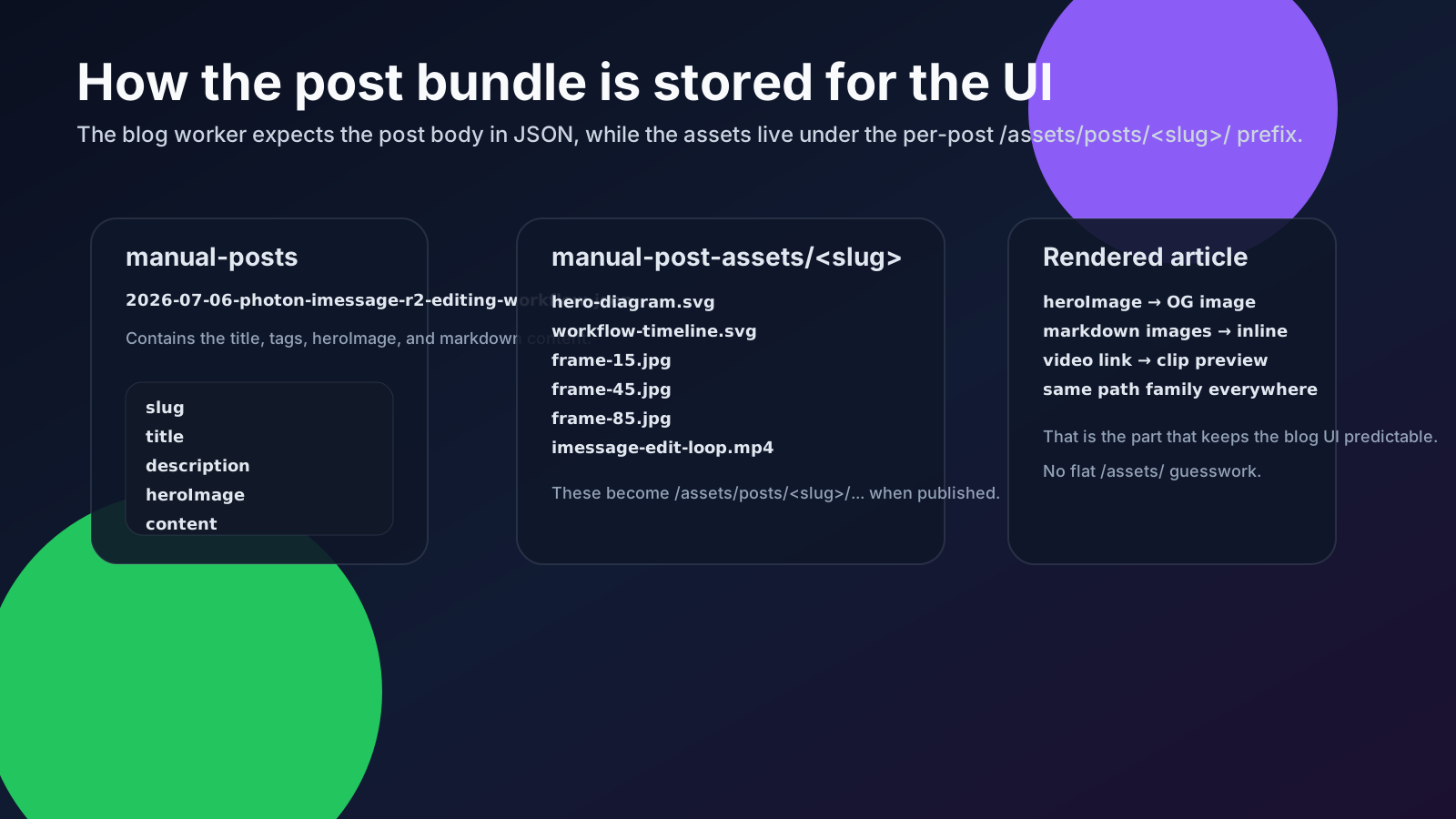
The asset bundle
manual-posts/2026-07-06-photon-imessage-r2-editing-workflow.json
manual-posts/2026-07-06-photon-imessage-r2-editing-workflow.md
manual-post-assets/2026-07-06-photon-imessage-r2-editing-workflow/
  hero-diagram.svg
  workflow-timeline.svg
  bundle-map.svg
  frame-15.jpg
  frame-45.jpg
  frame-85.jpg
  imessage-edit-loop.mp4
Short clip from the source video
Here’s the middle slice of the screen recording — the part where the request, the edit, and the continuity check all show up together.
Stack notes
- Photon — https://photon.codes/
- Hermes Agent — https://hermes-agent.nousresearch.com/
- OpenMontage — https://github.com/Atlas-Os1/OpenMontage
- Cloudflare — https://www.cloudflare.com/
- Cloudflare R2 — https://developers.cloudflare.com/r2/
Bottom line
This workflow is about showing that the phone can be more than a viewer. It can be the place where you:
- start the task,
- direct the agent,
- review the output,
- and open the file again after it lands in R2.
So yes, the editing is part of the story. But the actual story is the control loop: Photon on the front end, Hermes in the middle, R2 on delivery.
That’s the part that makes the setup feel useful instead of just clever.